
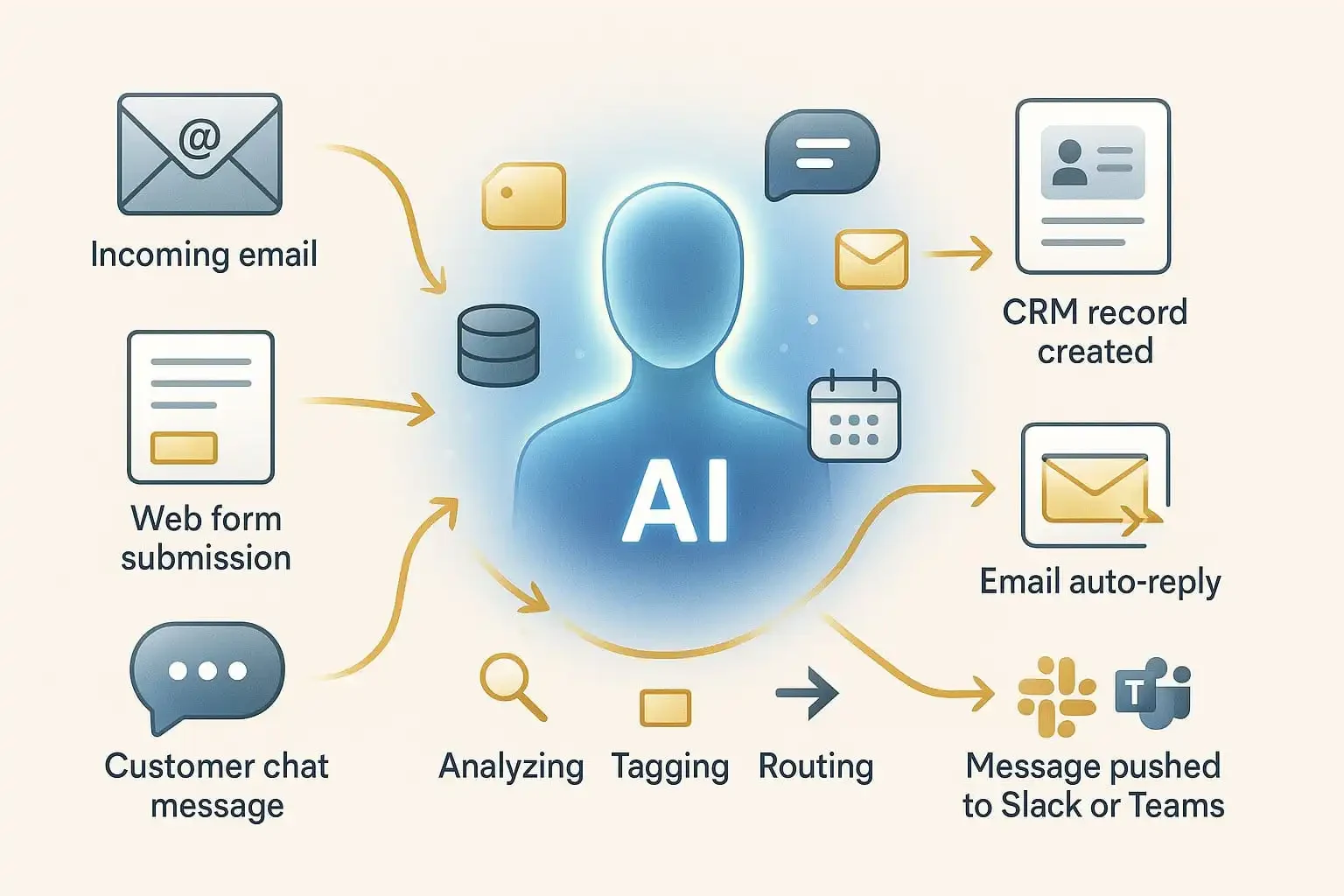
Imagine asking an assistant to "find a time for lunch with Sam next week, book it, and add the address to my calendar" and then simply walking away. No back-and-forth, no copying details between apps. That is the promise behind AI agents, and it is why everyone from freelancers to big companies is suddenly curious about them. If you have used a chatbot to answer questions, an agent is the next step: it does not just reply, it takes actions. This beginner's guide explains how to use AI agents to automate your daily tasks without getting lost in jarWhat Is an AI Agent?
An AI agent is software that uses an AI model to pursue a goal, make decisions along the way, and use tools such as email, calendars, browsers, or spreadsheets to complete tasks. A chatbot answers. An agent acts.
Chatbot vs. Agent: The Simple Difference
A chatbot waits for your message and responds. You do the clicking, copying, and pasting. An agent receives a goal, breaks it into steps, uses connected tools, and reports back. The more access and independence an agent has, the more it can do for you, and the more carefully you should supervise it.
Many products today sit somewhere between the two. Some assistants can browse the web, edit files, or connect to apps, while others run in the background on a schedule. Features change quickly, so check what your chosen tool currently supports.
Daily Tasks AI Agents Can Help With
Email triage: Sorting messages, drafting replies, and flagging what needs your attention.
Scheduling: Finding meeting times, sending invites, and adding reminders.
Research: Collecting sources on a topic and summarizing the main points.
Data entry: Moving information from forms or emails into spreadsheets.
Reporting: Pulling numbers from different places into a weekly summary.
Content preparation: Turning meeting notes into action lists or first drafts.
Shopping and comparison: Gathering product options and prices for you to review.
How to Get Started in Five Steps
Step 1: Pick One Repetitive Task
Choose something you do often, that follows a pattern, and has low risk if it goes wrong. Sorting newsletters is a better first project than replying to your boss.
Step 2: Write Down the Steps
Describe what you do manually, in order. If you cannot explain the process, an agent will struggle too. Clear steps make better results.
Step 3: Choose Your Tool
Options range from general AI assistants with agent features, to automation platforms like Zapier or Make that include AI steps, to built-in assistants inside email, calendar, and document apps. Start with whatever connects to the tools you already use.
Step 4: Give Clear Instructions
Treat your instructions like a brief for a new colleague. Include the goal, the format you want, any rules, and what to do when something is unclear. For example: "Review my unread emails from the last 24 hours. Group them into urgent, needs reply, and can wait. Draft short replies for the urgent ones, but do not send anything."
Step 5: Review Before Trusting
Run the task a few times while checking every result. Only after it performs well should you reduce supervision, and even then, spot-check regularly.
Practical Examples
A morning briefing. Ask an agent each weekday to summarize your calendar, highlight conflicts, and list the three most important emails.
Meeting follow-ups. After a call, have an agent turn the transcript into action items with owners and deadlines.
Weekly expense sorting. Let an agent categorize receipts and fill a spreadsheet, while you review totals.
Lead research. For a sales call, an agent can gather public information about a company so you walk in prepared.
Safety and Privacy Basics
Agents can be powerful, which is exactly why caution matters.
Limit permissions. Give access only to what the task requires.
Require approval for important actions. Sending emails, spending money, or deleting files should need your confirmation.
Protect sensitive data. Read the privacy terms, and follow your employer's policy.
Watch for mistakes. Agents can misunderstand instructions or act on wrong information. Keep humans in the loop for anything that matters.
Be aware of malicious content. Websites or emails can contain hidden instructions meant to trick an AI. This is another reason to restrict what an agent can do without asking you.
Common Beginner Mistakes
Starting too big. Automating your whole workday on day one invites chaos. Begin with one small job.
Vague instructions. "Handle my inbox" is not a task. Specific rules are.
Skipping testing. An unchecked automation can repeat the same mistake a hundred times.
Expecting perfection. Agents save time overall, but they still need oversight.
How to Measure Whether It Is Working
Track how long the task took before, and how long it takes now, including review time. If you are saving at least a few hours a month and trust the results, expand slowly. If not, rewrite your instructions or try a different tool.
AI agents are not magic, but they are genuinely useful when you start small and stay in control. Pick one boring task, describe it clearly, test it carefully, and let it earn your trust. In a few weeks, you may wonder how you ever did it by hand.
Frequently Asked Questions
Do I need to know how to code to use AI agents? No. Many tools use plain language and visual builders, though some advanced setups benefit from technical knowledge.
Are AI agents free? Some tools have free tiers, but advanced features and heavy use usually require a paid plan. Check current pricing.
Are AI agents safe? They can be, if you limit access, require approvals for key actions, and review outputs. Treat them like a new hire who needs supervision.
What is the best first task to automate? Something repetitive and low risk, such as sorting emails or summarizing meeting notes.
Will AI agents replace human assistants? They can take over routine tasks, but judgment, relationships, and complex decisions still need people.








Comments
Leave a Comment
Your email address will not be published. Required fields are marked *